
Touchscreens people walk right up to.
Countertop and floor-standing kiosks, single or dual-sided, with PCAP touch and a Mini PC option when the screen needs to run an app. Sign-in, demos, and digital signage.
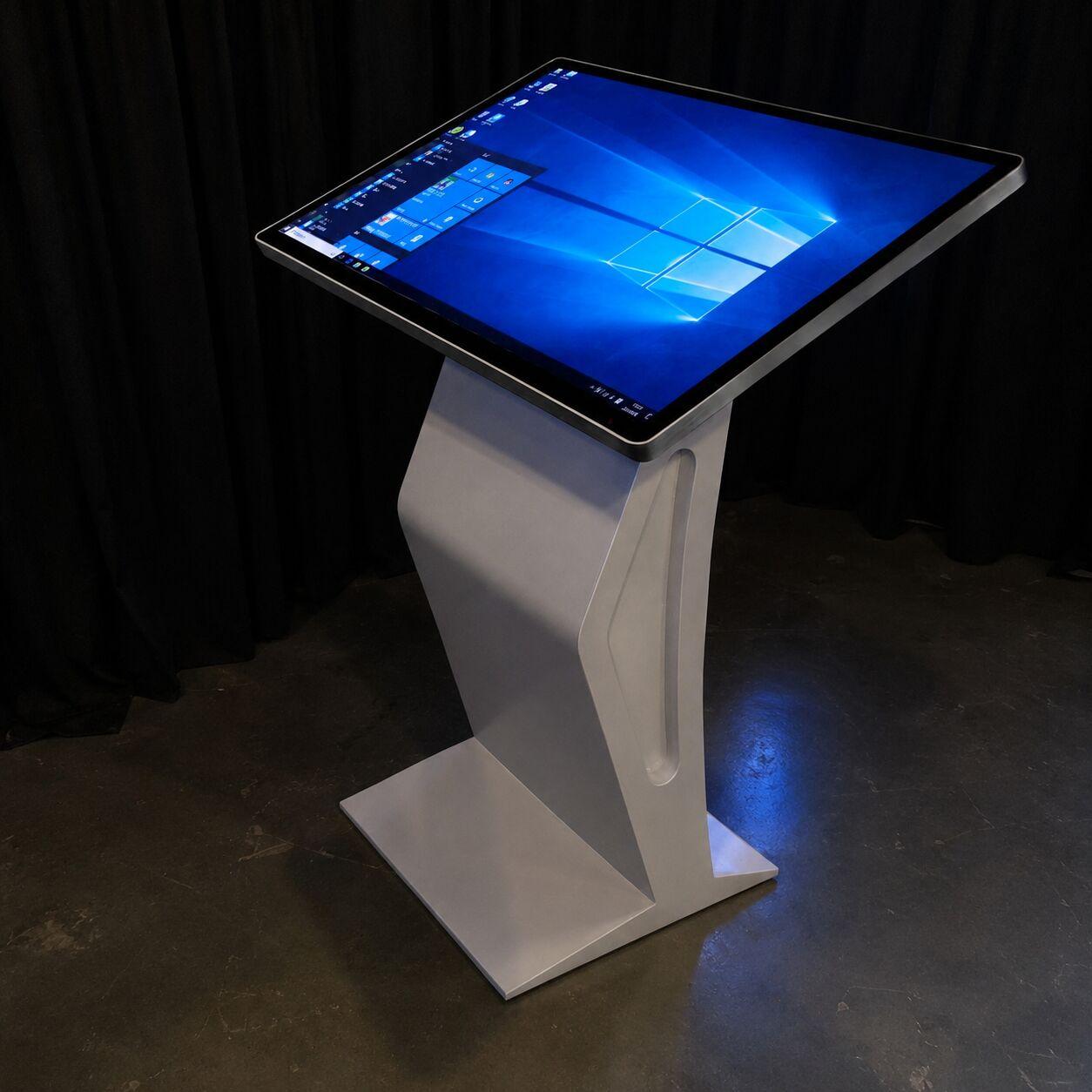
Pick the form factor.
Countertop kiosk
A compact touchscreen for a tabletop or counter. Sign-in, lead capture, and short demos.
Floor-standing kiosk
A full-height touchscreen that stands on its own on the floor, single or dual-sided.
Single and dual-sided
One screen (K1) or two back-to-back (K5) so the kiosk reads from both directions in traffic.
iPoster digital signage
A bright vertical display for wayfinding, schedules, and looping brand content.
Kiosk questions, answered.
Is the touch PCAP or overlay?
PCAP (projected capacitive) is the responsive, phone-like touch most kiosks use. We confirm the touch type per unit so it matches the interaction you need.
Does the kiosk need a Mini PC?
Some kiosks run content from an onboard player; others need an external Mini PC for an app or a live source. We tell you up front which your setup needs.
Can it run our app or just looping content?
Both. Looping video and slideshows run onboard; an interactive app runs on a Mini PC. Send us what you want it to do and we spec it.
Do you install, or can our crew?
Either. We deliver and set up, or your crew runs it with our documentation. See LED wall install and crew.
Send us the booth plan.
Tell us what the kiosk should do and your dates. We'll send the quote.
Get a quote